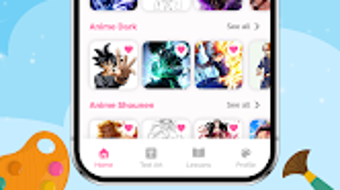

Download AR Draw Cartoon – AR drawing, cartoon drawing, AR sketch, art app, drawing tool, mobile drawing, sketching app, AR art, drawing for kids, creative app
Overview
AR Draw Cartoon - Paint Sketch is an innovative mobile application designed for Android users, merging Augmented Reality (AR) with artistic expression. The software aims to transform traditional drawing by projecting cartoon outlines onto physical surfaces, enabling a guided drawing experience. It serves as a creative tool for users across age groups, from children learning foundational drawing skills to adults exploring artistic hobbies.
The app addresses common challenges in sketching, such as proportion accuracy and line confidence, by providing step-by-step AR-guided templates. Real-world usage scenarios include classroom art projects, family creative sessions, and personal sketching practice. Users can project outlines onto paper, walls, or any flat surface, then trace them with physical tools.
The app also supports capturing finished artwork for sharing on social media, extending its utility beyond creation. The developer did not provide additional background details, but the application's focus on accessibility and education suggests a user-centric design philosophy. Its core purpose is to lower the barrier to entry for artistic expression through technology.
Key Features & Capabilities
- AR Projection Technology: Projects cartoon outlines onto physical surfaces using the device’s camera, allowing real-time alignment and tracing for precise results.
- Extensive Template Library: Offers a wide variety of cartoon characters and designs, with step-by-step outlines to guide users through complex drawings.
- Layered Tracing Modes: Enables users to trace over multiple layers, track progress, and maintain alignment with the AR sketch for consistent results.
- Artwork Capture & Sharing: Allows users to save completed drawings and share them directly to social media platforms for immediate feedback and display.
- Guided Drawing Experience: Provides a structured workflow from template selection to final output, enhancing skill development and confidence.
Usage Examples
Art educators can use the AR projection to demonstrate drawing techniques in classrooms. Parents may engage children in creative activities by selecting kid-friendly templates. Hobbyists can experiment with advanced cartoon designs, refining their hand-eye coordination. The layered tracing feature is particularly useful for comparing initial sketches with final results, facilitating self-assessment and improvement.
User Interface, Workflow & Performance
The application features a clean, intuitive interface focused on accessibility. Navigation is streamlined around core functions: template selection, AR projection activation, and drawing capture. The workflow begins with choosing a template, followed by aligning the device’s camera to the surface, and then tracing the projected outline.
The user experience emphasizes simplicity, minimizing cognitive load for beginners. The developer did not specify resource usage details, so exact performance metrics remain unknown. General observations suggest the app maintains stable operation during projection and tracing, though prolonged use may impact battery life.
No reported issues with crashes or freezes were mentioned. The application’s responsiveness appears consistent with typical mobile AR software, relying on the device’s camera and processing capabilities. Stability during AR rendering is assumed to be adequate for its intended use cases.
Compatibility & System Requirements
AR Draw Cartoon - Paint Sketch is designed for Android devices. The developer did not specify exact system requirements, including minimum hardware specifications or compatible Android versions. Compatibility information was partially provided, confirming support for Android operating systems.
Installation size and specific device requirements were not listed. Users should ensure their Android device has a functional camera and sufficient processing power to handle AR rendering. The developer did not provide details on whether the app supports tablets or only smartphones.
General software behavior patterns suggest the app may function on devices with standard AR capabilities, but users are advised to check the Google Play Store for device-specific compatibility.
Pros and Cons
Pros
- Intuitive AR projection simplifies complex drawing tasks.
- Large library of templates caters to diverse skill levels and interests.
- Layered tracing modes support progress tracking and skill development.
- Free to download with optional in-app purchases for premium features.
- Enables real-world creativity by projecting onto physical surfaces.
Cons
- Exact system requirements and hardware specifications were not provided.
- Performance details on different devices were not specified.
- May require a stable environment with consistent lighting for optimal AR projection.
- Only available on Android, limiting cross-platform accessibility.
- Free version may lack advanced features, requiring in-app purchases for full functionality.
FAQ Section
Is AR Draw Cartoon available for Windows or Mac?
The application is designed exclusively for Android devices. No desktop or Mac versions were mentioned in the provided information.
Is the app safe to download and use?
AR Draw Cartoon is available for free download on the Google Play Store. The developer did not provide explicit security details, but official app stores typically vet software for malware and privacy violations.
How often are updates released?
Update frequency was not specified in the available information. Users should check the Google Play Store for the latest version and release notes.
What type of license does the app use?
The app is free to download with optional in-app purchases for premium features. No traditional licensing model was described.
Can I use AR Draw Cartoon offline?
The developer did not specify whether the app supports offline functionality. Core features like AR projection likely require an active internet connection for template access and processing.
Final Thoughts + CTA
AR Draw Cartoon - Paint Sketch successfully bridges augmented reality and artistic expression, offering a unique solution for users seeking guided drawing experiences. Its strength lies in simplifying complex sketches through AR projection and layered tracing, making it ideal for beginners and educators. While system requirements and performance details remain unspecified, the app’s core functionality delivers on its promise of accessibility and creativity.
The free availability with optional in-app upgrades enhances its appeal. For anyone interested in exploring art with technology, especially on Android devices, this tool provides a valuable and engaging platform. Download AR Draw Cartoon now.





.png)

